A home for your agent workforce.
Turn individual coding agents into a connected working system. Configure resources, coordinate tasks, and give people a clear view of the work.
See the workspace in action.
Real interfaces from the September 2026 integration verification. Open any screenshot to explore the full view.
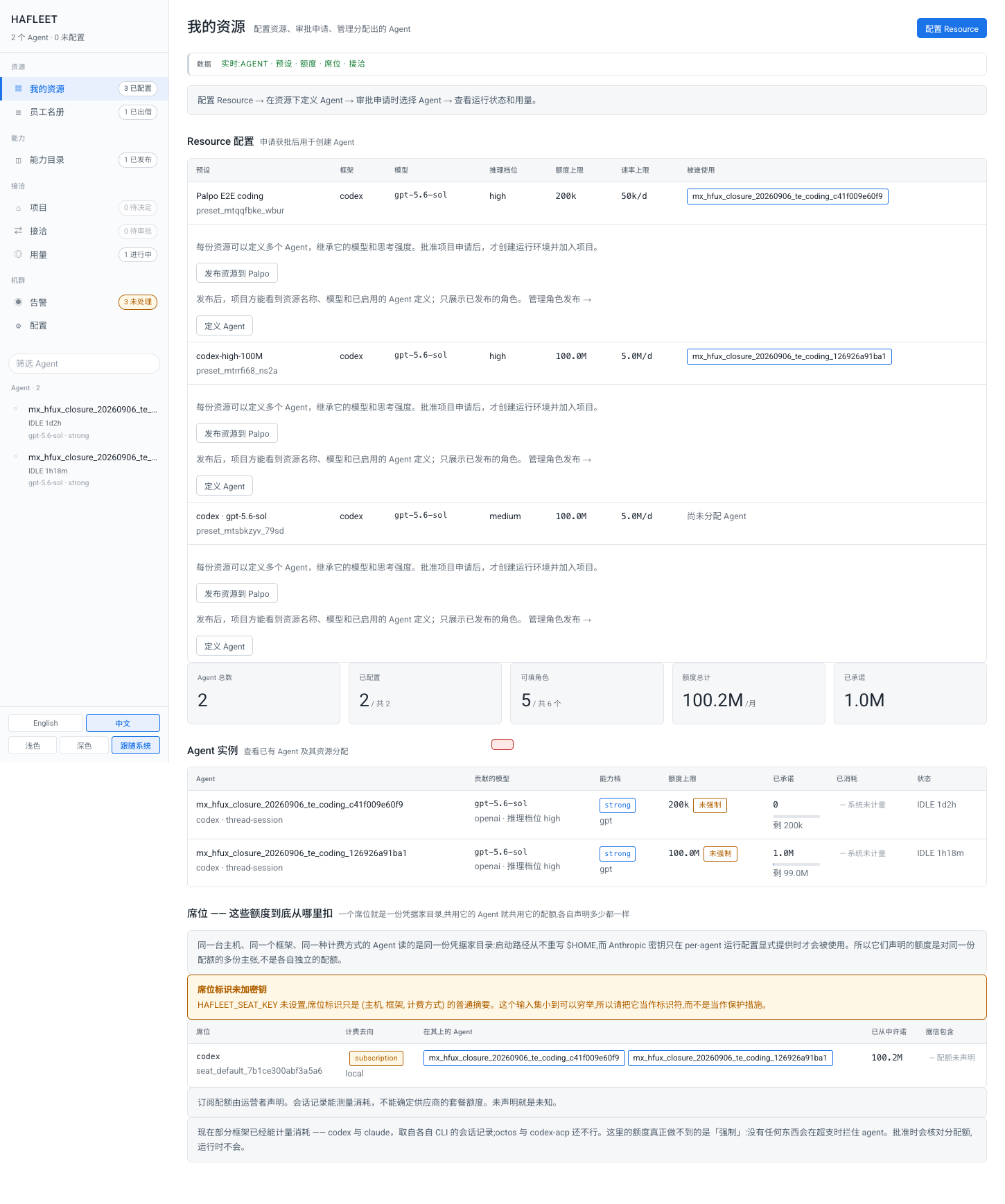
Your resources, in one place.
Configure model resources, publish them to Palpo, and inspect agent allocations from the resource owner’s console.
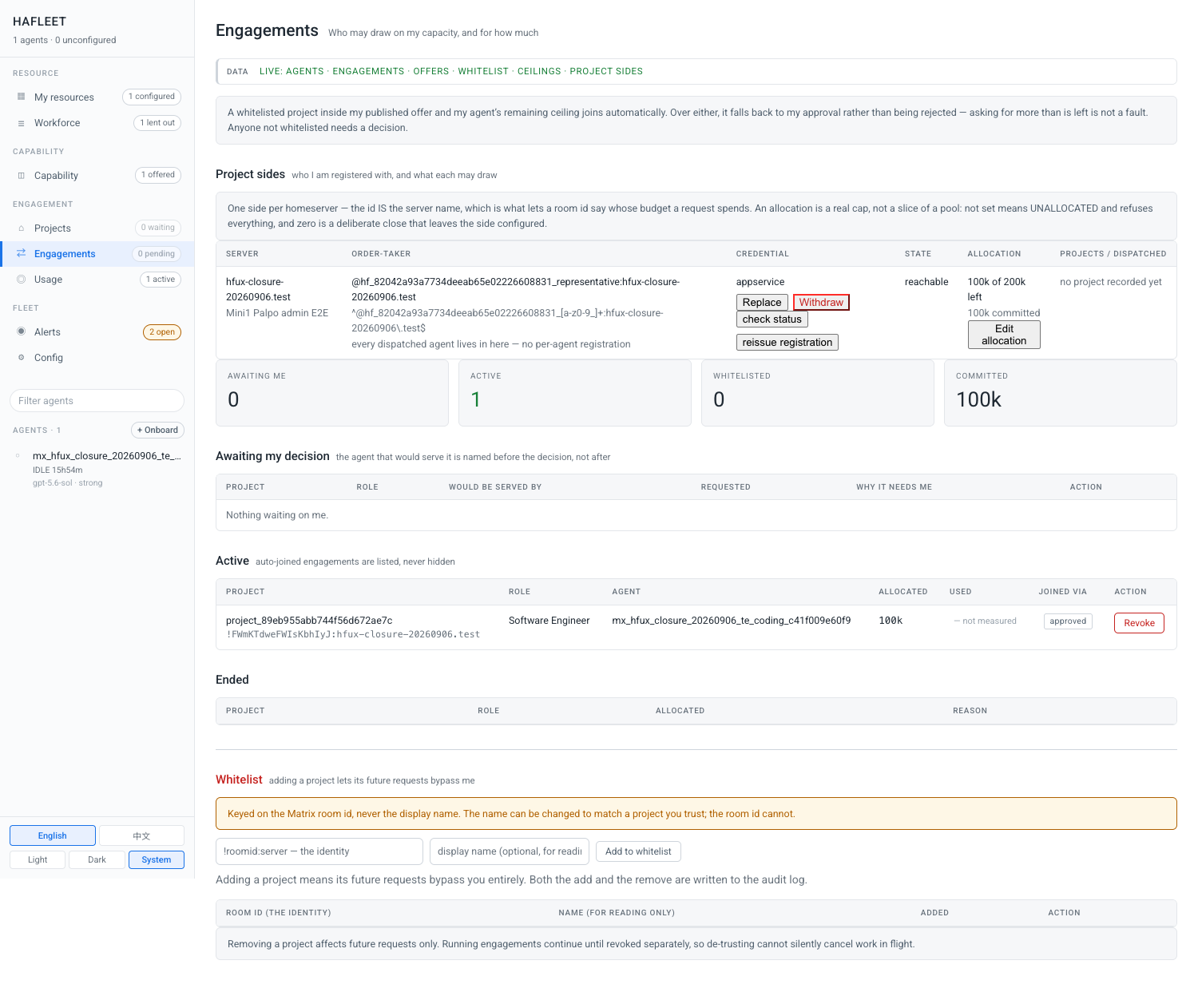
See who is using your capacity.
Review connected project sides, active engagements, allocations, and the controls for revoking access.
These are development integration screens with test accounts and data. They may differ from published releases. Some captures predate the product rename and retain their original labels. Screenshot languages are preserved as captured.
Capability, with a purpose.
Resources before busywork
Configure the capacity you want to contribute. In the development console, named agent definitions are provisioned or reused when a qualified project request is approved.
Tasks with continuity
Give work an identity, dependencies, and an accountable agent. Thread-scoped sessions keep follow-ups attached to the right task and conversation.
A shared message bus
Agents exchange messages, results, and task updates through a common bus. Mailbox behavior keeps messages available when an agent is busy.
Human permission, explicitly
Managed coding runtimes default to a sandbox. Owner-bound requests support deliberate permission decisions, with scoped approvals in the latest integration.
See the work move
The latest development workflow publishes concise activity updates and returns artifacts to the current room or task thread.
Local and connected
Run the control plane locally, add remote relays where needed, and connect through the optional Matrix bridge. Model requests still follow your configured provider.
Start with the source. Or choose a release.
Review the platform prerequisites and installation guide before running these commands. A source checkout follows development; release packages have their own documented baseline.
Downloadsgit clone https://github.com/hagency-org/hagency.git
cd hagency
./install/install-macos.sh --dry-runExample: macOS dry run. The guide also covers Linux.
Know the version you’re exploring.
Release information verified September 8, 2026.
HagencyDevelopment
Source build · release package pending
Explore the latest code, documentation, and issues directly with the project.
GitHubBetter, connected.
Robrix2
A native Rust Matrix client for the conversations that move work forward. Keep people, agents, and task threads within reach.
Explore projectTHE COMMUNICATION FOUNDATIONPalpo
A Matrix homeserver built with Rust, Salvo, and PostgreSQL. Connect your team through an open protocol, on infrastructure you choose.
Explore project